
Security & Compliance
Most hosted platforms ask you to trust them with your production infrastructure, your application secrets, and your data. Tapitalee is built on a different premise.
Everything Tapitalee deploys runs inside your AWS account — not ours. Your data never transits or rests on Tapitalee infrastructure. The security model isn't a feature we built. It's a consequence of the architecture.
Here's what that means in practice.
Your infrastructure, your data, your account
On Heroku, Render, or Railway, your application code, environment variables, database contents, and runtime logs all exist on infrastructure you don't control, can't audit, and can't restrict at the network level. On Tapitalee, everything runs in your AWS VPC.
Every app runs as a standard ECS Fargate service inside your AWS VPC. Your code, your network, your rules.
Databases are RDS instances in your account. Redis is ElastiCache in your account. Environment variables live in your AWS environment. Tapitalee coordinates deployments.
If you stopped using Tapitalee today, nothing moves, nothing migrates, nothing is lost. Your infrastructure is yours — not ours.
- Your code runs on their servers
- Your secrets stored in their systems
- Your data transits their network
- You can't audit their access
- Infrastructure disappears if you leave
- Your code runs in your VPC
- Secrets stored in your AWS environment
- Data never touches Tapitalee infrastructure
- AWS CloudTrail can provide a full audit trail
- Infrastructure remains yours permanently
Your team gets the access they need. Nothing more.
Giving developers AWS IAM credentials means credentials that are too powerful, hard to audit, sometimes committed to git, and a nightmare to rotate when someone leaves. Tapitalee eliminates this problem entirely.
No AWS Credentials Required
Clean offboarding: When a developer leaves, you remove them from Tapitalee. Done. No IAM credential rotation. No "did we get all their access?" audit. One action removes all access.
Control exactly who can deploy to which environment. A junior developer can deploy to staging. Only senior engineers and team leads can deploy to production. The rule is enforced by the platform, not by trust.
Developers who need console access get it through the Tapitalee web console. They see what they're authorised to see. The session is recorded. They never touch an AWS credential.
AI guardrails: run agents against production, safely
AI agents are powerful, but giving one full access to your production infrastructure is risky. Tapitalee lets you sandbox agents — limiting what they can see and do — so you get the leverage of AI without fearing disruption or leakage of sensitive data.
Create tokens scoped to a single app with read-only access or a minimal capability set. A debugging agent can inspect processes, deploys, and logs without reading secrets. A deployment agent can deploy — and nothing else.
Set up a second app and share the primary app's add-ons — Redis, RDS, EFS, S3 — with it in read-only mode. The agent works freely in its sandbox, but can't modify or delete the underlying production data.
Your last line of defense. Immutable backups can't be deleted by anyone — not even the AWS account owner — until their retention period expires. Even if an agent gains destructive access, your data remains recoverable.
A complete record of everything that happens in production
Every console session is recorded in full — not just login events, but every command typed and every output returned. When your SOC2 auditor asks for evidence of access controls and change management, you have it — without building a custom logging infrastructure.
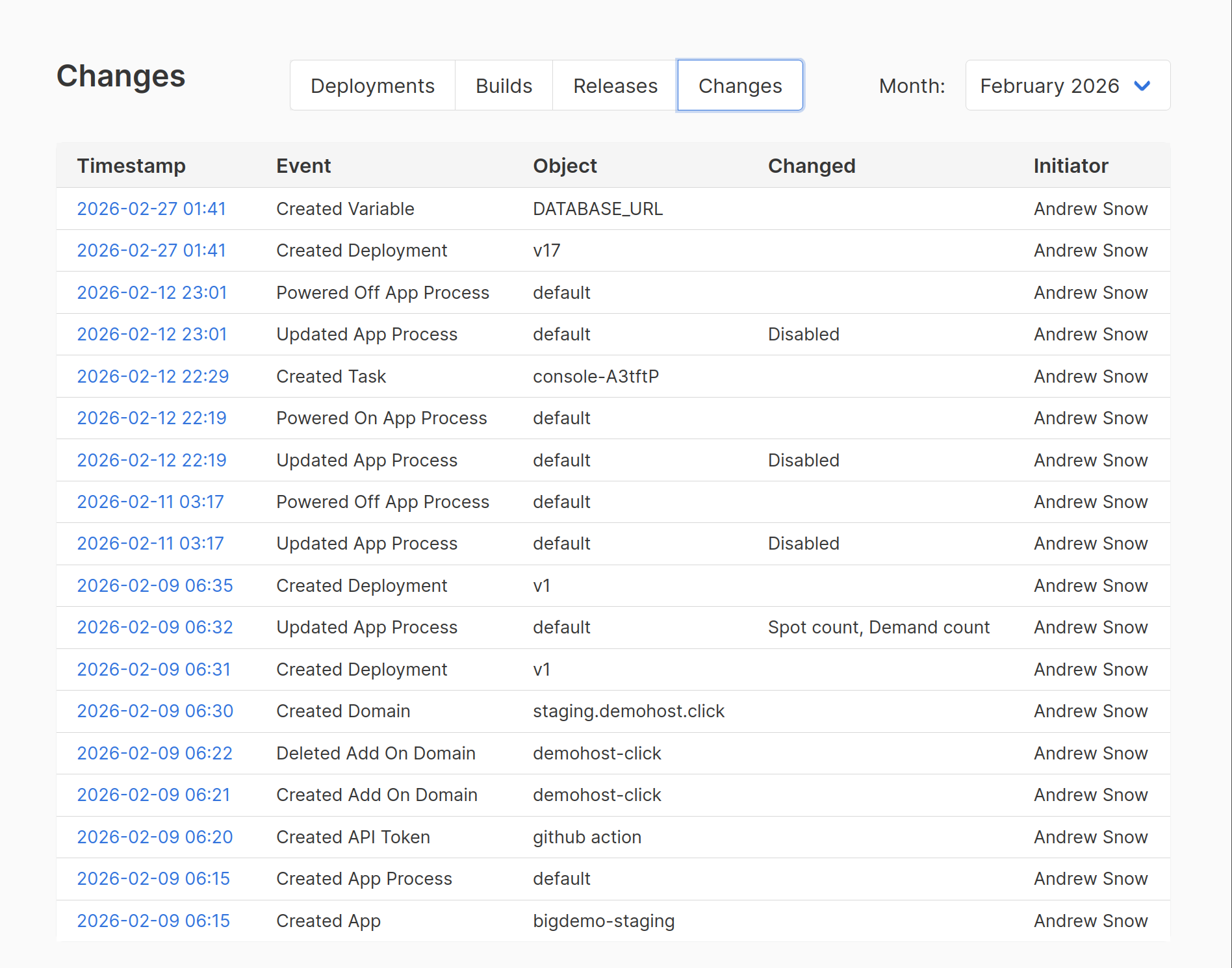
Three layers of audit evidence
Full session replay of terminals opened through the Tapitalee web console — keystrokes, commands, output.
Every deployment is logged — who triggered it, what commit was deployed, when it started, when it completed, whether it required approval and who gave it. This is your change management record.
Who was logged in and what actions they took. The full operational history of your production environment, timestamped and attributed.
Nothing reaches production without approval
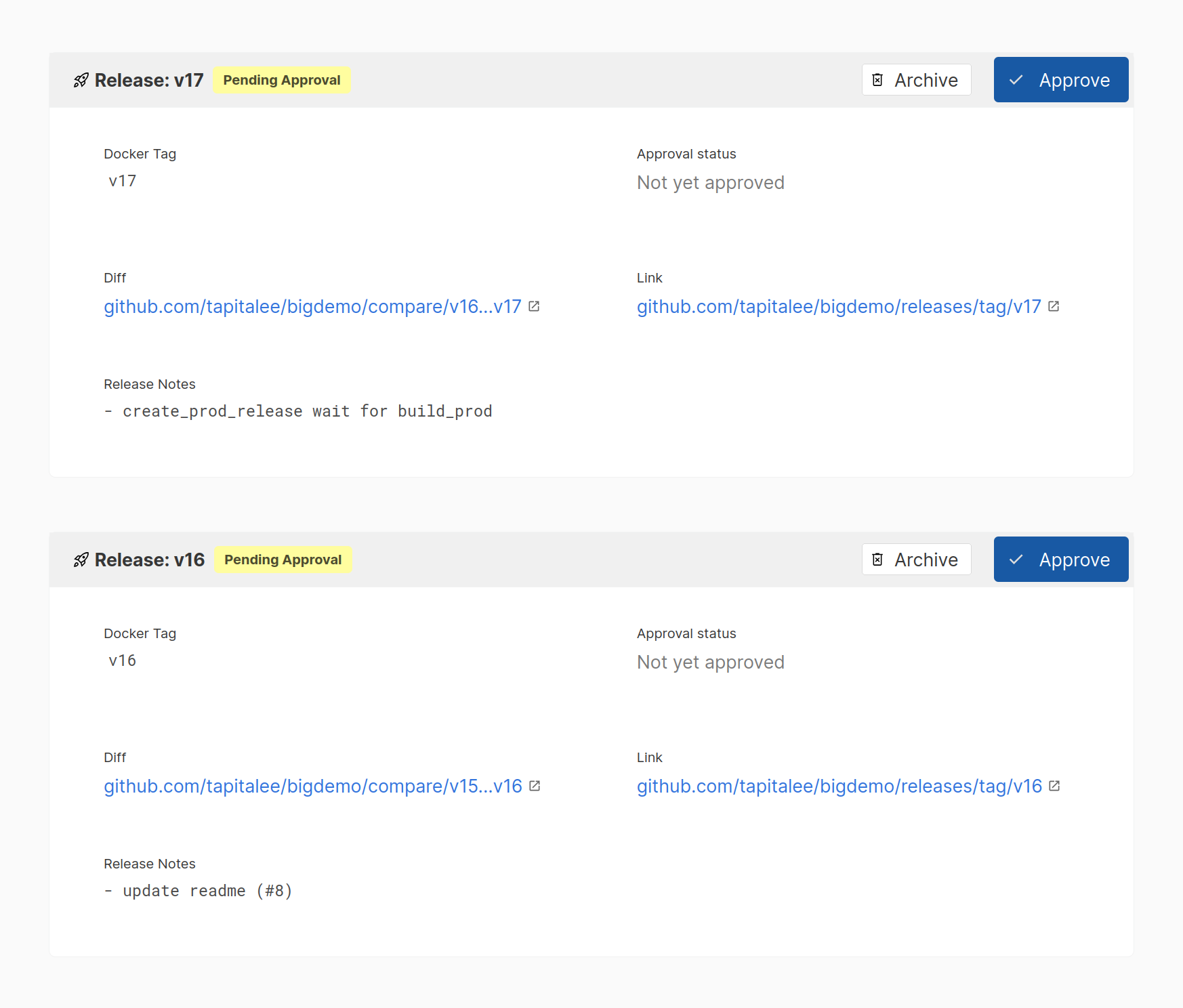
Configure any environment to require explicit sign-off before a deployment proceeds. Nobody — not even a senior engineer — can bypass the gate. Your change management process is enforced by the platform, not by trust and habit.
Gated Deployments
SOC2 CC8.1 requires evidence that changes to production are reviewed and approved. Gated deployments give you this control automatically, with a built-in audit trail of who approved what.
Fine-grained permissions.
A junior developer can deploy to staging, but not production.
An ops engineer can't deploy without approval, but can scale up background workers.
Developers can set new env variables but can't see the secret values.
You control who gets access to what, and the platform enforces it.
Your add-ons are private to the apps they serve
Every managed service — databases, caches, file stores — is by default only accessible to the app it's connected to. Network isolation isn't a configuration option. It's the default.
Your Postgres, MySQL, and Redis instances are only reachable by the services you authorise, running inside the same private network. No other app gets access unless you explicitly grant it.
The same isolation applies to EC2 instances and temporary containers spun up for debugging — not just app containers. The access boundary is consistent across everything Tapitalee deploys.
Access for debugging goes through the Tapitalee console — authenticated, authorised, and recorded. There is no direct path to your database that bypasses the audit trail.
Built for teams going through audits
Tapitalee doesn't replace your SOC2 process — it gives you the infrastructure controls that auditors look for when they examine how your team manages production access and deployments.
Access controls, change management evidence, audit logs, and session recording are built into the platform. When your auditor asks how you manage who can access production and what they did there, your answer is documented and exportable.
| SOC2 Control Area | What Tapitalee Provides |
|---|---|
|
Access control (CC6.1)
|
Fine-grained permissions, no shared AWS credentials, role-based deploy access per environment |
|
Logical access (CC6.2)
|
Single point of access management, immediate offboarding with one action removing all access |
|
Change management (CC8.1)
|
Gated deployments with approval trail, full deploy history with commit, timestamp, and approver attribution |
|
Monitoring (CC7.2)
|
Console session recording with full replay, access event logging, deploy audit trail |
|
Incident response (CC7.3)
|
Full history of production access and changes available for post-incident reconstruction and review |
Encryption, in transit, at rest
Standard encryption across every layer of the stack.
In Transit
- All connections between Tapitalee and your AWS account are encrypted
- All database connections are encrypted in transit
- TLS certificates provisioned automatically for all deployed applications
At Rest
- Application secrets stored in AWS Secrets Manager
- RDS instances encrypted at rest using AWS KMS
- EBS volumes for EC2 add-ons encrypted at rest
If Tapitalee disappeared tomorrow, your apps would keep running.
Every service we deploy is a standard AWS ECS Fargate service. Every database is a standard RDS instance. Every cache is a standard ElastiCache instance. Nothing proprietary. Nothing locked in.
You own the infrastructure. We just make it easier to operate.
That's the security model. And it's also why we think it's the right architecture.
Ready to deploy securely?
Connect your AWS account in minutes. Your infrastructure. Your data. Your account.